Instagram has evolved from a photo-sharing app into one of the most powerful traffic and lead-generation platforms in the world. With billions of active users and increasingly sophisticated tools for creators and businesses, Instagram in 2026 offers multiple smart ways to share website links—even though clickable links are still limited in some areas.
If your goal is to drive website traffic, generate leads, sell products, or grow an email list, simply dropping a link isn’t enough. You need strategy.
This in-depth guide covers the best ways to share website links on Instagram for maximum traffic and conversions, along with practical tips, mistakes to avoid, and proven tactics used by top creators and brands.
Why Instagram Links Matter for Traffic & Leads
Instagram is often the top-of-funnel platform. People discover you there—but conversions usually happen elsewhere: on your website, landing page, or store.
Sharing links effectively helps you:
- Drive targeted traffic to your website
- Capture email leads and sign-ups
- Promote products, services, or offers
- Track performance and ROI
- Turn followers into customers
The challenge? Instagram doesn’t treat all links equally. Understanding where links work best is the key.
1. Link in Bio: Your Traffic Headquarters
Why It Works
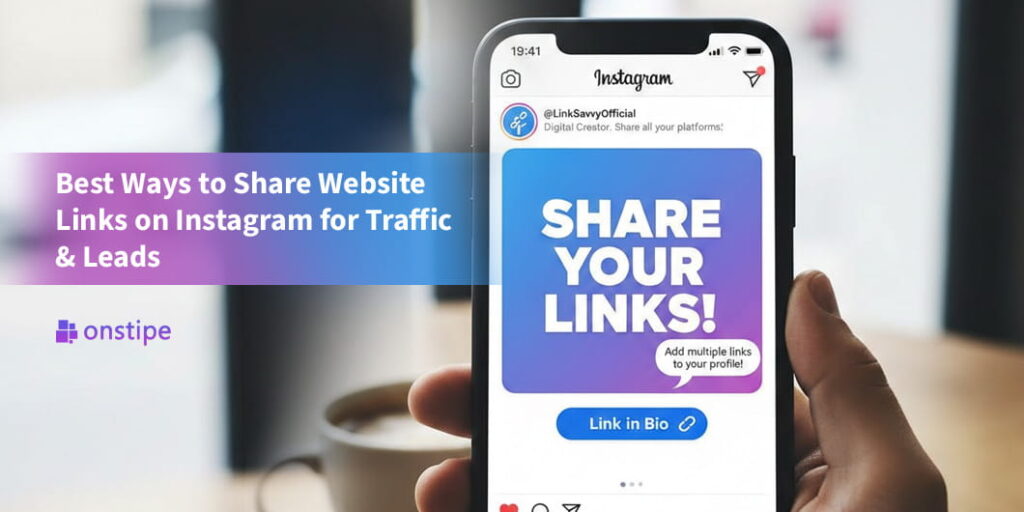
Your Instagram bio link is always visible, clickable, and trusted by users. It’s the most stable place to send traffic.
Best Practices for Bio Links
Instead of linking randomly, treat your bio link like a conversion hub.
What to link to:
- A high-converting landing page
- A lead magnet (free ebook, checklist, webinar)
- Your main website or sales page
- A multi-link landing page (Linktree-style)
Pro Tip for 2026
Instagram now supports multiple bio links, but only the first one is prominent. Place your primary traffic or lead link first and give it a clear title like:
- “Free Guide”
- “Start Here”
- “Shop Now”
Conversion Tip
Always reference your bio link in captions:
“Grab the free guide—link in bio”
2. Instagram Stories + Link Stickers (Highest Click-Through Rate)
Why Stories Drive More Traffic
Instagram Stories feel personal, urgent, and native. The Link Sticker allows users to tap directly to your website—making Stories one of the highest-converting link placements on Instagram.
Best Uses for Story Links
- Blog posts and articles
- Lead magnets and opt-in pages
- Product launches and flash sales
- Webinar registrations
- Affiliate links
How to Maximize Clicks
- Use clear CTAs: “Tap to read,” “Get instant access,” “Claim your spot”
- Place the sticker mid-screen, not at the edges
- Add arrows, GIFs, or text pointing to the link
- Use storytelling before dropping the link (problem → solution → link)
Bonus Strategy
Save your best link Stories as Highlights:
- “Freebies”
- “Start Here”
- “Resources”
- “Offers”
This turns temporary links into long-term traffic sources.
3. Reels: Traffic Through Reach (Indirect but Powerful)
The Reality of Reels Links
Links in Reels captions are not clickable, but Reels offer massive organic reach. Smart creators use Reels to warm the audience, then direct them to clickable link areas.
Best Reel-to-Link Strategy
- Create a Reel solving a specific problem
- Tease a deeper solution
- End with a CTA:
- “Full guide—link in bio”
- “Free checklist in bio”
- “Grab the resource I mentioned”
On-Screen Text Matters
Most users watch without sound. Always add text like:
“Link in bio for the free template”
Reels may not link directly, but they fuel traffic indirectly at scale.
4. Pinned Posts: Permanent Traffic Drivers
In 2026, pinned posts remain an underused traffic strategy.
Why Pinned Posts Work
Pinned posts stay at the top of your profile, meaning:
- New visitors see them first
- Your link CTA gets repeated exposure
- You don’t need to repost constantly
What to Pin
- A post promoting your main offer or lead magnet
- A “Start Here” post explaining what you do
- A Reel that points clearly to your bio link
Caption Formula
- Hook (problem or desire)
- Value (what they’ll gain)
- Clear CTA (“Link in bio to get it”)
5. DM Automation & Manual Messaging (High Conversion)
Why DMs Convert So Well
DMs are private, personal, and feel human. When done ethically, they’re one of the highest-converting link channels on Instagram.
Smart Ways to Share Links via DMs
- Reply to Story reactions with a relevant link
- Use comment-triggered DMs (“Comment ‘GUIDE’ and I’ll send it”)
- Offer help before sharing a link
- Send follow-up links after conversations
Automation in 2026
Instagram-approved automation tools now allow:
- Keyword-triggered DMs
- Instant link delivery
- Lead qualification before sending links
Just ensure:
- You provide value first
- You don’t spam
- You stay compliant with Instagram policies
6. Multi-Link Landing Pages (Conversion Boosters)
Why Use a Multi-Link Page
Instead of sending users to a generic homepage, use a purpose-built landing page optimized for Instagram traffic.
What a High-Converting Link Page Includes
- One clear primary CTA (lead magnet or offer)
- Minimal distractions
- Mobile-first design
- Social proof (testimonials, stats)
- Fast loading speed
Pro Tip
Even if Instagram allows multiple bio links, a single optimized landing page often converts better than multiple random links.
7. Instagram Highlights as Evergreen Funnels
Highlights are often overlooked but incredibly powerful.
Best Highlight Ideas for Links
- “Free”
- “Resources”
- “Start”
- “Offers”
- “Training”
Each Highlight can contain multiple Stories with link stickers, effectively becoming a mini funnel on your profile.
8. Collaborations & Shared Traffic
Why This Works
Collaborations expose your link to new, warm audiences who already trust the creator you’re partnering with.
Collaboration Link Ideas
- Co-hosted webinars
- Shared free resources
- Affiliate promotions
- Shoutouts with Story links
When both parties promote the same link, traffic and leads multiply.
9. Tracking Links for Better Results
If you’re serious about traffic and leads, tracking is non-negotiable.
What to Track
- Click-through rates
- Story taps vs exits
- Bio link clicks
- Conversion rates
How to Track
- Use UTM parameters
- Use link shorteners
- Use landing page analytics
- Monitor Instagram Insights
Data tells you which link placements actually work—and which don’t.
Common Mistakes to Avoid
❌ Posting raw links in captions and expecting clicks
❌ Sending traffic to non-mobile-optimized pages
❌ No clear CTA
❌ Changing bio links without updating captions
❌ Spamming links in DMs
❌ Ignoring Stories as a traffic channel
The Best Instagram Link Strategy (Summary)
For maximum traffic and leads, use a layered approach:
- Bio link → Your main conversion hub
- Stories + link stickers → Daily traffic
- Reels → Reach + awareness
- Pinned posts → Evergreen promotion
- DMs → High-intent conversions
- Highlights → Long-term visibility
Instagram rewards creators who educate, engage, and guide, not those who just drop links.
Final Thoughts
In 2026, Instagram is no longer just a branding platform—it’s a traffic engine when used correctly. The best results don’t come from one link, but from a system that guides users naturally from content to clicks to conversions.
Focus on:
- Clear value
- Strategic placement
- Consistent CTAs
- Tracking what works
Do that, and Instagram can become one of your highest-performing sources of traffic and leads.