In today’s digital-first world, your website is more than just an online brochure — it’s your brand’s central hub. But in a competitive landscape where attention spans are shrinking, static content alone isn’t enough. Visitors expect dynamic, interactive experiences that feel authentic and up to date.
One of the most effective ways to achieve this is by embedding an Instagram widget on your website.
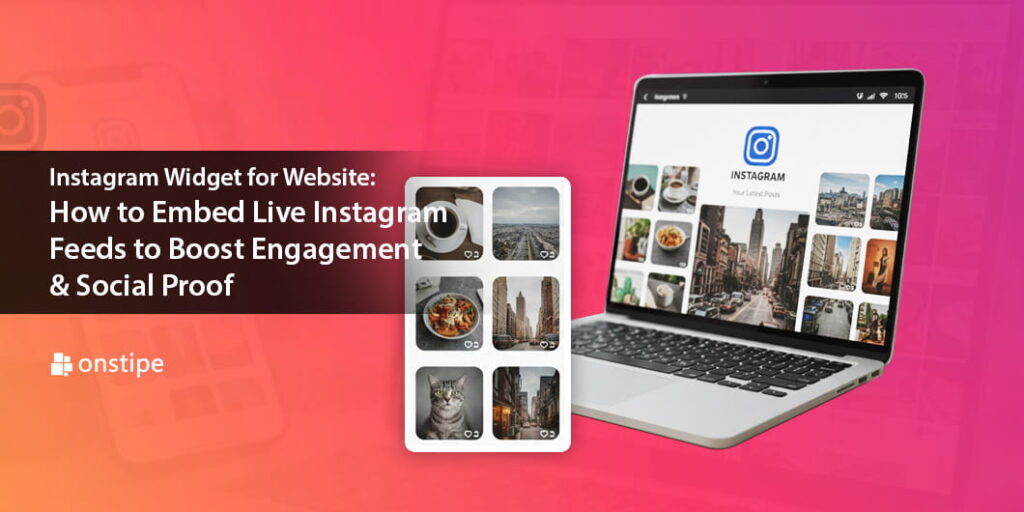
An Instagram widget allows you to display live Instagram feeds directly on your website — showcasing posts, reels, hashtags, user-generated content (UGC), and brand mentions in real time. When implemented strategically, it can significantly boost engagement, build social proof, and increase conversions.
In this guide, we’ll explore what an Instagram widget is, why it works, how to embed it, and best practices to maximize results.
What Is an Instagram Widget?
An Instagram widget is a tool that integrates your Instagram content into your website. It pulls posts from:
- Your Instagram profile
- Specific hashtags
- Tagged posts
- Mentions
- User-generated content
The feed is displayed in visually appealing layouts such as grids, sliders, carousels, or masonry styles. Unlike static screenshots, a live Instagram widget updates automatically as new content is posted.
This creates a seamless bridge between your social presence and your website.
Why Embed Live Instagram Feeds on Your Website?
1. Builds Instant Social Proof
Social proof is one of the strongest psychological triggers in marketing. When visitors see real people engaging with your brand — liking, commenting, tagging, and sharing — it increases trust.
Displaying customer photos, reviews, and tagged posts demonstrates that your brand is active and credible.
2. Increases Website Engagement
A live Instagram feed adds motion and visual interest to your site. Visitors are more likely to scroll, click, and explore when they see fresh content.
This can:
- Increase time spent on site
- Reduce bounce rate
- Encourage interaction
3. Strengthens Brand Identity
Instagram is a highly visual platform. Embedding your feed reinforces your brand’s aesthetics, personality, and voice directly on your website.
For fashion, travel, food, fitness, and lifestyle brands, this visual storytelling is especially powerful.
4. Encourages Cross-Platform Growth
When visitors see your Instagram content on your website, they’re more likely to follow you. This strengthens your overall social media presence and builds a connected audience ecosystem.
5. Showcases User-Generated Content (UGC)
User-generated content is incredibly persuasive. When customers share their experiences and you display them on your website, it acts as authentic endorsement.
Studies consistently show that UGC improves purchase confidence and conversion rates.
How an Instagram Widget Boosts Engagement & Conversions
An Instagram widget isn’t just decorative — it can directly impact business performance.
Real-Time Content Keeps Your Site Fresh
Search engines and users prefer updated content. A live feed ensures your site doesn’t feel stagnant.
Visual Content Drives Buying Decisions
High-quality images and reels inspire action. When visitors see real customers using your products, it helps them visualize ownership.
Interactive Elements Encourage Exploration
Clickable posts can redirect users to:
- Product pages
- Instagram profile
- Campaign landing pages
- Promotional offers
This creates multiple engagement touchpoints.
How to Embed an Instagram Widget on Your Website
There are several ways to embed Instagram feeds, depending on your goals and technical resources.
Method 1: Use Instagram’s Official Embed Feature
Instagram allows you to embed individual posts manually.
Steps:
- Go to the Instagram post you want to display.
- Click the three dots.
- Select “Embed.”
- Copy the HTML code.
- Paste it into your website’s HTML section.
This method works for single posts but is not ideal for live, auto-updating feeds.
Method 2: Use a Social Media Aggregator Tool
Third-party tools are the most efficient way to create a live Instagram widget.
These tools allow you to:
- Pull feeds from profiles or hashtags
- Moderate content
- Customize layout and design
- Enable shoppable posts
- Filter inappropriate content
After configuring your widget, the platform provides embed code that you simply paste into your website.
This method is ideal for brands seeking automation, scalability, and customization.
Method 3: Custom API Integration
For advanced developers, Instagram’s API allows deeper integration and customization.
This approach enables:
- Custom design and functionality
- Advanced filtering
- Integration with eCommerce platforms
However, it requires technical expertise and ongoing maintenance.
Best Practices to Maximize Engagement
Embedding an Instagram widget is just the beginning. To truly boost engagement and social proof, follow these proven strategies.
1. Choose Strategic Placement
Where you place your Instagram feed matters.
Effective locations include:
- Homepage (above or below the fold)
- Product pages
- Landing pages
- Footer sections
- Event or campaign pages
Make it visible but not overwhelming.
2. Curate High-Quality Content
Don’t display everything automatically. Curate content that aligns with your brand message.
Highlight:
- Customer testimonials
- Influencer collaborations
- Product showcases
- Lifestyle imagery
- Event highlights
Quality always outperforms quantity.
3. Leverage Branded Hashtags
Encourage users to tag your brand or use a custom hashtag.
Promote the hashtag through:
- Email campaigns
- Social posts
- Packaging inserts
- Event signage
This increases the volume of user-generated content available for your widget.
4. Enable Shoppable Feeds
If you run an eCommerce store, use tools that allow product tagging within your Instagram feed.
This creates a seamless shopping experience:
Instagram inspiration → Website product page → Purchase
Reducing friction increases conversions.
5. Optimize for Mobile
Most users browse on mobile devices. Ensure your Instagram widget:
- Loads quickly
- Is responsive
- Has touch-friendly navigation
A poor mobile experience can hurt engagement.
6. Maintain Brand Consistency
Customize colors, fonts, and layouts to match your website’s branding. The widget should feel like a natural extension of your design.
7. Monitor Performance Metrics
Track the impact of your Instagram widget by measuring:
- Time on page
- Click-through rates
- Conversion rates
- Instagram follower growth
- Engagement rates
Regular analysis helps refine your strategy.
Ideal Use Cases for Instagram Widgets
eCommerce Brands
Display customer photos and reviews to increase purchase confidence.
Travel & Hospitality
Showcase real guest experiences to inspire bookings.
Restaurants & Cafes
Highlight dishes, ambiance, and customer visits.
Fitness & Wellness Brands
Share transformation stories and community engagement.
Events & Conferences
Display live event posts to increase participation.
Common Mistakes to Avoid
While Instagram widgets are powerful, avoid these pitfalls:
- Displaying unmoderated content
- Using low-resolution images
- Overcrowding your page
- Ignoring load speed
- Placing the feed in a hidden section
Keep it clean, curated, and optimized.
The Future of Instagram Widgets
As social commerce continues to grow, Instagram widgets are evolving to include:
- AI-powered content moderation
- Advanced analytics dashboards
- Interactive reels integration
- Shoppable galleries
- Multi-platform social walls
Brands that integrate social proof into their websites will continue to outperform competitors who rely solely on static content.
Final Thoughts
An Instagram widget for your website is more than a design enhancement — it’s a powerful engagement and conversion tool.
By embedding live Instagram feeds, you:
- Build authentic social proof
- Increase user interaction
- Strengthen brand identity
- Showcase user-generated content
- Drive higher conversions
In a world where trust and authenticity matter more than ever, letting real customers and real experiences shine can set your brand apart.
If you want to transform your website from static to socially dynamic, embedding a live Instagram widget is one of the smartest moves you can make.
Bring your social story to your site — and let your audience become your most powerful marketing asset.