I watched a visitor hover on our pricing page for forty-seven seconds, scroll back up, then leave. No click, no signup, no contact form.
A week later, we added a chatbot with one simple prompt: “Comparing plans? Tell me your team size and I’ll match the best option.” Conversions on that page jumped 18% in the first month.
That is what website engagement tools look like when they work.
Visitors expect fast, personal answers. If your site cannot give them, they leave for a competitor that can. A wellbuilt chatbot fills that gap without adding headcount.
A strong chatbot answers common questions, routes hard cases, and gives buyers the proof they need to act. It can support customer service, but it can also lift conversions when you place it on the right pages and measure it like any other growth tool.
Treat your chatbot as a measurable engagement and conversion asset, not just a support deflection tool, and you can improve both customer experience and revenue.
Key Takeaways
These points show where chatbots create value fastest and where weak setups fail.
- AI resolution is accelerating fast. Salesforce projects AI will resolve 50% of service cases by 2027, up from 30% in 2025. Design hybrid bot plus human workflows now.
- Do not buy on demos alone. Prioritize retrieval augmented generation (RAG), analytics integration, consent design, and handoff quality over flashy features.
- Deploy where intent is highest. Pricing, checkout, registration, and FAQ pages are where chatbots remove friction and drive action.
- Prove value with a small set of Google Analytics 4 (GA4) events. Track chatstart, chathandoff, and chatconversion to build funnels and attribute lift.
- Accessibility and privacy are table stakes. Meet WCAG 2.2 requirements and show GDPR or CCPA notices before collecting any personally identifiable information.
- User generated content (UGC) plus chatbot is a trust multiplier. Surface real customer photos and reviews inside chat to answer objections and capture intent.
What Is a Website Chatbot?
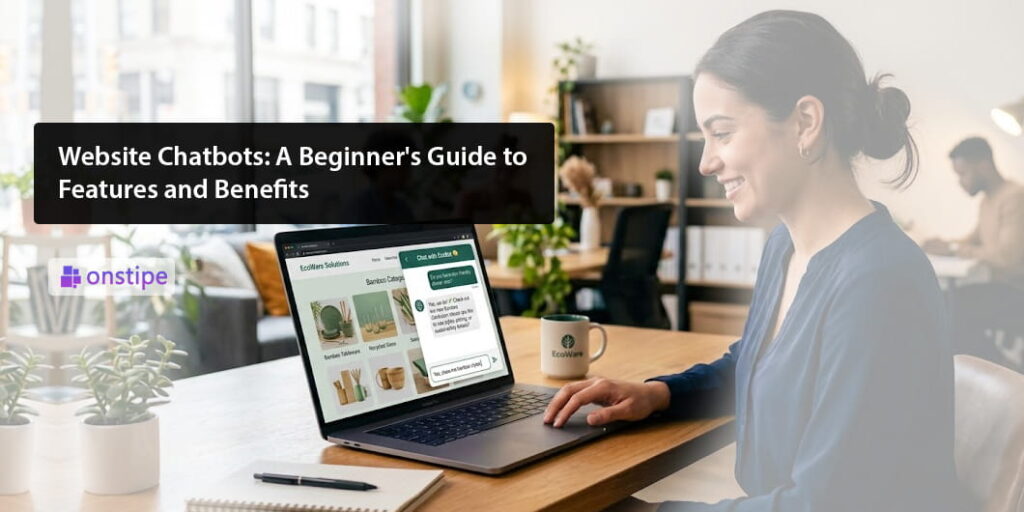
A website chatbot is a conversational tool on your site that answers questions and helps visitors take the next step.
It can use rules, artificial intelligence, or both. A useful bot understands intent, grounds answers in your content, and hands off cleanly to a person when confidence is low.
There are four common types. Rulebased bots follow fixed menus. Natural language understanding, or NLU, bots interpret plain language questions. Generative AI bots with retrieval augmented generation pull facts from your own documents and product data, which reduces hallucinations. Hybrid bots combine automation with live agent support.
The bot’s answers should come from sources you control, such as your knowledge base, product catalog, policy documents, event details, and customer content feeds. If you already use a social wall to display customer posts, that same feed can add proof inside the chat.
IBM’s Institute for Business Value found that 99% of organizations using AI virtual agents reported higher customer satisfaction, with an average eightpoint gain in customer satisfaction score, or CSAT. That is the difference between a useful assistant and a clunky FAQ popup.
Start with your top intents, state what the bot can and cannot do, and ask for consent before collecting personally identifiable information, or PII, or taking payments.
Three Big Benefits of Website Chatbots
Chatbots pay off when they shorten time to answer, lower service load, and help visitors convert.
1. Faster Answers and Higher Satisfaction
Customers reward speed and accuracy. Salesforce reports AI case resolution is expected to jump from 30% in 2025 to 50% by 2027. If you design hybrid coverage now, you avoid expensive rework later.
Think order status, returns, event schedules, and discount policies. A good bot gives the short answer first, then expands if the visitor asks. When confidence is only moderate, it can show real customer content as proof before sending the case to a person.
2. Lower Support Costs and Better Use of Agents
Automation deflects repetitive contacts and cuts average handle time, the time an agent spends on one case. That frees people to solve complex issues. A Forrester study cited by IBM estimates about six dollars saved per contained conversation. IBM also found a 12% reduction in human agent handle time across organizations using AI virtual agents.
Track containment rate and assist rate separately so you do not hide the value of a warm handoff. Give agents a short recap and a suggested next step before transfer to speed resolution.
3. More Revenue and Higher Conversion
Chatbots can accelerate qualified intent when they pair answers with strong offers and clear proof. They help most on pricing, product, registration, and contact pages, where a small doubt can stop a sale.
Useful patterns include prompts based on scroll depth or exit intent, light lead capture after the bot has delivered value, and inflow proof, such as customer photos, reviews, or shipping estimates. Track add to cart, booked demos, or completed registrations after chat to attribute lift.
What to Configure So Your Bot Delivers
The right setup matters more than a polished demo.
Prioritize grounding, guardrails, and measurement over flashy features. Buy or build only what supports a clear outcome.
Microsoft’s documentation notes that retrieval augmented generation grounds chatbot responses in enterprise data, which reduces hallucinations and improves contextual accuracy. Put RAG and clear content freshness rules near the top of your requirements list.
Other must haves include intent recognition with disambiguation, source citations users can verify, forms in chat that collect only the minimum consented data, handoff logic that routes to the right person, and security controls such as PII redaction and encryption at rest.
For accessibility, the widget needs keyboard navigation, ARIA roles, focus management, and WCAG 2.2 touch targets. Published in October 2023, WCAG 2.2 added criteria such as 2.5.8 Target Size, which matters directly for chat widgets on touch devices.
For privacy, show a short notice before collecting PII. For California residents, honor Do Not Sell or Share rights under CCPA and CPRA. If your site may process protected health information, follow HHS OCR guidance on tracking technologies and make sure vendor business associate agreements are in place.
Choose bots that can surface user-generated content and social proof in context, answer requests such as recent customer photos or reviews, sync with your CRM and GA4, respect consent settings, and preserve handoff details for sales or support follow-up. To compare vendors quickly, review top website chatbot tools and narrow two or three options against your integration, privacy, analytics, and handoff requirements.
Where to Deploy So It Drives Outcomes
Deploy first on pages where unanswered questions stop a sale, signup, donation, or support task.
High intent pages come first: pricing, product detail, checkout, registration, donations, and time-sensitive event pages. On support surfaces such as your knowledge base and order tracking, show proactive prompts after twenty to thirty seconds of idle time.
Do not launch everywhere on day one. Start with three to five pages, measure the result, then expand. Test triggers such as exit intent prompts on pricing, “Need size advice?” on apparel pages, and “Show recent customer photos” where UGC helps decisions. On mobile, make sure the widget respects the viewport and never blocks core calls to action.
How to Track Chatbot Impact with GA4
A short list of Google Analytics 4 events is enough to show whether chat helps or hurts, especially when evaluating AI driven engagement and learning experiences. This becomes even more important as conversational interfaces play a bigger role in shaping how users interact, learn, and convert.
Instrument a small, durable set of events and review them weekly. GA4 supports custom event tracking through gtag.js or Tag Manager, which lets you build funnels around chatbot behavior.
Use events such as chatopen, chatstart, chatmessage, chathandoff, chatresolution, and chatconversion. Verify them in GA4 Realtime and DebugView, then build a funnel from chat start through handoff or resolution to conversion.
Monitor containment rate, median time to first answer, handoff acceptance, postchat CSAT, revenue influenced by sessions where chatopen fired, and the share of answers backed by approved sources. Review twenty random transcripts each week for accuracy, tone, and source quality. Log model versions, prompt templates, and knowledge base snapshots so you can reproduce results.
Make Chatbots Work for You, Not Against You
A chatbot should reduce friction, not hide your team behind another layer.
Wrap automation with trust signals such as customer content, source citations, and consent notices. Ship a controlled pilot in thirty days, scale to fifteen pages by day sixty, and optimize retrieval and proactive prompts by day ninety.
Most chatbot failures stem from governance, not the model itself. Focus on high-value intents, instrument GA4 before launch, and build with RAG, citations, and a transparent “I don’t know” response. Ensure accessibility by testing with a keyboard and screen reader, and always secure user consent before capturing data.
Frequently Asked Questions
These quick answers cover the setup questions most teams ask before launch.
What Is a Website Chatbot?
A website chatbot is a conversational interface on your site that answers questions and takes actions. Modern bots use AI and retrieval augmented generation to ground answers in your own content and hand off to humans when needed.
Is a Chatbot the Same as Live Chat or a Virtual Agent?
No. Live chat is human to human. Many chatbots are fully automated. Virtual agents combine AI understanding with backend actions and usually show stronger CSAT and efficiency gains when implemented well.
Where Should I Deploy a Chatbot First?
Start on pricing, product, registration, or checkout pages, where unanswered questions block action. Add your top support pages next. Limit the first rollout to three to five pages and expand based on data.
How Do I Measure Chatbot ROI?
Track containment rate, handoff outcomes, and conversions where chatopen occurred. Wire GA4 custom events such as chatstart and chatconversion, then review weekly funnels to attribute lift.
What About Accessibility and Privacy?
Make the widget keyboard-friendly and screenreader-friendly under WCAG 2.2. Disclose data practices clearly, honour CCPA and CPRA rights, and get explicit consent before collecting any PII.
Are There Extra Steps for Healthcare or Financial Services?
Yes. Avoid sending protected health information into noncompliant systems, ensure business associate agreements where required, and never store CVV or CVC data in chat or logs. Follow HHS OCR guidance for healthcare and PCI DSS controls for payment data.