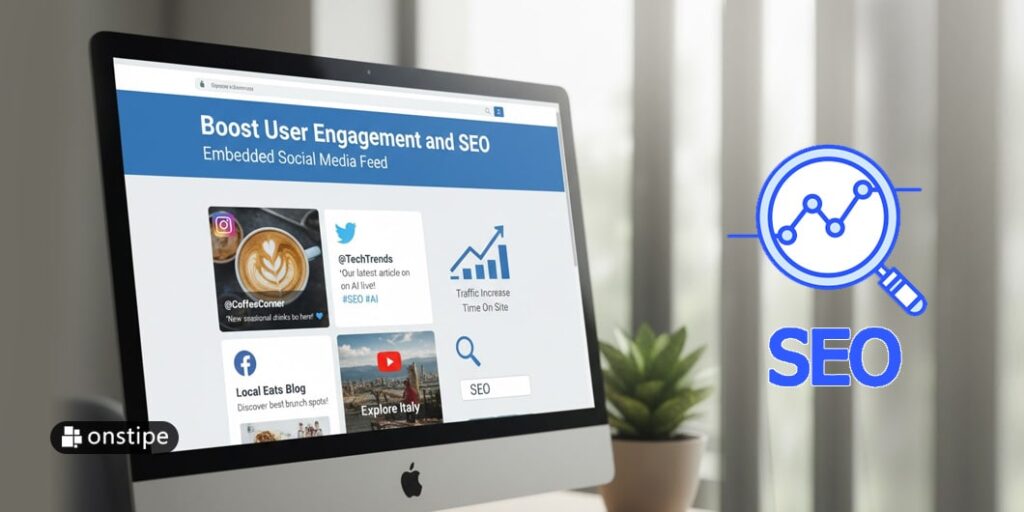
In today’s digital-first world, brands and websites face an ever-escalating challenge: capture attention, keep it, and convert it. Two metrics rise to the top of that agenda: user engagement and search engine optimisation (SEO). While often treated as distinct goals, there’s a strategic point of convergence: embedding a social media feed on your website. In this article, we’ll explore how to wisely implement an embedded social media feed—drawing on the latest data, digging into benefits and pitfalls, and offering a practical roadmap to make it work for you.
Why embed a social media feed?
Simply put: an embedded social feed turns your website from a static brochure into a living, breathing platform. Instead of a site that constantly needs manual updates, you integrate real-time social content that reflects what’s happening now. This feeds two major goals:
- Enhanced user engagement. Visitors stay longer, scroll more, interact with the embedded posts, maybe click through to your social channels. This increased dwell time and interaction are positive signals for your brand’s credibility and for user experience.
- Better SEO-relevant metrics. Although embedding social posts is not a direct ranking factor in itself (we’ll cover that shortly), it can influence key behavioural metrics – lower bounce rate, higher time on page, and a more dynamic site. Google watches these things.
Here are a few quick benefits, as backed by research:
- Embeds add fresh content to your site without you having to constantly edit pages. That freshness helps engagement and user retention.
- They build social proof—when a visitor sees real user-generated posts, comments, and rhymes with your brand, trust increases. That trust keeps users on the site and encourages further interaction.
- Visual, dynamic, social content often appeals more than plain text—especially on mobile. That means your visitor experience improves, making people less likely to bounce away quickly.
In short: embedding a social media feed is both a user-experience win and a foundation for better behavioural signals that support SEO.
Understanding the SEO impact (and realistic expectations)
Before you rush in and plaster a feed across your homepage, it’s vital to understand what embedding social content can and can’t do in terms of search performance.
What it does help
- Improved engagement metrics: As already noted, embedded social feeds can lead to more time on page, more interactions, and a lower bounce rate — all of which are behaviours that search engines consider as positive quality signals.
- Improved brand relevance: When people engage with your site and social channels, as opposed to just landing and leaving, you are increasing your brand’s footprint, which in turn can lead to more branded searches (people directly looking up your brand), another good sign for SEO.
- Content variety and freshness: Embeds add a layer of fresh content automatically (when your social account is active). This makes your site feel current rather than stale, which helps user perception and thus indirectly supports SEO.
What it doesn’t do
- Direct ranking boost from the embed itself: Embedding a post from Instagram, X (formerly Twitter), or Facebook does not mean the text, images or user comments inside the embed are attributed to your domain for crawling/indexing in the same way as your own original content. Many embeds render via iFrames or heavy JavaScript, which search engines may treat as external or non-primary content.
- Guaranteed backlinks: While social visibility can lead to more shares or mentions, embedded feeds do not automatically generate inbound links or directly improve authority. The value is indirect.
- Fix-all for weak content: If the core content of your page lacks depth or uniqueness, simply adding a feed won’t make it rank. Good SEO still requires high-quality, relevant content, proper keywords, internal linking, and other fundamentals.
Balancing the indirect benefits
As one analyst noted:
“Content inside an embed is hosted on the social platform. Google generally treats it as external rather than rich, unique content on your site.” But that does not mean you shouldn’t do it—just that you should treat embedded feeds as a supplementary strategy, not a primary one.
The smart approach: Use the embed to amplify your engagement and UX, and make sure you surround it with strong original content, keyword-rich headings, internal links, and well-structured text.
Best practices for embedding effectively
To maximise the benefits and minimise the risks of embedding social media feeds, follow this structured approach:
1. Align the feed with your strategic goals
- Choose a platform and feed type that resonates with your audience and brand. For instance, if you’re visually-oriented (fashion, décor, travel), an Instagram gallery feed makes sense. If you want frequent short-form updates or discussion, X or Facebook may fit.
- Decide the goal: Are you showcasing user-generated content (UGC)? Displaying brand posts? Surfacing reviews and testimonials? Each goal changes how you implement.
- Example: If you want social proof, embed posts from real customers using your product.
- If you want fresh content, embed your brand’s live feed.
2. Prioritise page load speed and technical performance
One of the main pitfalls of social embeds is slowing down a page. Slow load times = higher bounce rate = negative for SEO.
Tips:
- Use lazy-loading for the feed (load it when the user scrolls to that section).
- Limit the number of embedded feeds per page. One is often enough.
- Consider using lightweight third-party widgets or self-hosted solutions that minimise heavy scripts.
- Monitor page speed using tools like Google PageSpeed Insights; ensure adding the embed doesn’t degrade performance.
3. Make sure the feed fits visually and contextually
- The embed must match your site’s branding (fonts, colors, layout). A visually jarring feed distracts and may reduce engagement.
- Provide context around the feed: introduce what the visitor is seeing, why it matters, and add a call to action (e.g., “See our latest Instagram posts” or “Join the conversation”).
- Put the feed in a place where it supports your main content—not competes with it. For example, a sidebar or footer might work, but don’t let it overshadow your core content or conversions.
4. Complement with SEO-friendly supporting content
Since the embed itself doesn’t contribute full on-page indexing benefit:
- Ensure the page has rich, original copy around the embed.
- Use headings (H2/H3) with keywords relevant to your topic.
- Add alt text if the embed involves images or provide accessible captions.
- Link internally from the page where you embed the feed to other relevant pages on your site—for example, blog posts, product pages, or user testimonials.
5. Curate and moderate the feed content
Not all social posts are equal. To maximise trust and engagement:
- Select posts that reflect well on your brand.
- Use filters to exclude negative or off-brand posts.
- Encourage UGC by asking customers to tag you or use a hashtag; you can then embed the best ones. This creates a loop of engagement.
- Regularly check that the feed is functioning and updating; a stale feed undermines trust.
6. Monitor performance and adjust
Track metrics to confirm your embed is delivering value:
- Time on page / average session duration
- Bounce rate
- Pages per session
- Conversion or click-through rate from the feed section (e.g., clicking through to social or a product page)
- Page speed and load times after installing the embed
Refine placement, design, and content as you observe results.
Use-case examples
Here are three typical ways websites embed social feeds and the corresponding benefits:
A. Brand Page – Latest Posts
Scenario: A lifestyle brand embeds its Instagram feed on the homepage showing its latest collection, behind-the-scenes snaps and influencer posts.
Benefits:
- Keeps homepage fresh with new visuals automatically.
- Encourages visitors to explore more, increasing time on site.
- Drives traffic to their Instagram page, boosting following and activity (which in turn can loop back to website referrals).
Tips: Ensure the feed is under “New from our IG” heading, loads lazily, and contains clickable images leading to product pages.
B. Testimonial / UGC Gallery
Scenario: A travel agency embeds a feed of customer-tagged posts showing their holidays (“#MyHolidayWithXYZ”).
Benefits:
- Builds trust via real customers and UGC.
- Encourages others to tag their trips, increasing social engagement and content volume.
- Visually compelling content that invites exploration.
Tips: Add an introductory line like “See how our customers enjoyed their trips” and include a CTA: “Share your photo with #MyHolidayWithXYZ”.
C. Campaign / Event Page – Live Feed
Scenario: A conference website embeds a Twitter/X feed of live tweets with hashtag #Conf2025.
Benefits:
- Creates real-time energy and social proof (people see posts during event).
- Keeps the page dynamic even while the event is ongoing.
- Encourages visitors to participate and post themselves.
Tips: Use a moderated feed (to avoid spam or unrelated posts), position it under “Join the conversation” and load only after other core content loads (to prioritise page speed).
Potential pitfalls & how to avoid them
It’s not all upside—there are risks and issues that need attention:
- Slow page load time. Already mentioned; heavy widgets can degrade performance.
- Duplicate content / crawl budget waste. If you embed lots of auto-updating posts, search crawlers may spend resources rendering them rather than your primary content.
- Irrelevant or stale social content. If your social account is inactive, the feed may look abandoned and hurt credibility.
- Disruption of user flow. Sometimes a feed can distract from your main call-to-action (CTA). If visitors scroll through the feed and forget to convert, it could hurt conversions.
- Dependence on third-party platforms. If the social platform changes its embedding rules or scripts, your feed could break or disappear.
- Accessibility & mobile issues. Embeds must render well on mobile, handle alt text for images, and not block assistive technologies.
The key: embed thoughtfully, monitor what happens, and treat the feed as a component within a holistic page rather than the star feature itself.
Practical checklist for embedding a social media feed
Here’s a quick actionable checklist you can use when planning and implementing your embedded social media feed:
- Define your goal for the feed (UGC, brand posts, live event, etc.).
- Choose the platform(s) and feed type that match your audience.
- Obtain or set up the embed code or widget. Consider using tools/aggregators if you want multi-platform integration.
- Ensure the widget or feed is responsive and mobile-friendly.
- Implement lazy-loading for performance.
- Place the feed in a suitable location on the page (not overshadowing core content).
- Provide a heading/intro text and CTA linked to what you want users to do next.
- Surround the feed with strong original content (text, headings, links) so the page remains high-value for SEO.
- Monitor page speed and adjust if the embed is slowing things down.
- Curate content: regularly check, refresh, moderate. Encourage users to post via hashtags or tags.
- Track engagement metrics (time on page, bounce rate, feed clicks) and user behavior to refine your approach.
- Review quarterly: evaluate whether the feed still aligns with your brand/social activity, and adjust or remove if it is hurting UX or conversions.
Conclusion: embedding with purpose
Embedding a social media feed on your website is not a silver bullet for SEO—but when done with intention, design, and alignment, it becomes a powerful tool for user engagement and supporting your SEO goals.
By showing dynamic, authentic social content on your site, you invite users to linger, explore, and trust. That in turn improves the behavioural metrics that search engines value. Pair that with strong original content, and you’ve got a page that’s not just pretty but also structurally supportive of SEO.
In short: treat your embedded social feed as a bridge—connecting your website with your social presence, enriching the user experience, and enhancing your brand’s digital footprint. Do it thoughtfully, measure its impact, and you’ll find that it’s less a gimmick and more a strategic asset.