Keeping up with client communication manually is one of the fastest ways to fall behind. Follow-up emails that never get sent, appointment reminders that slip through, and delayed responses to inquiries all chip away at client trust and revenue.
Automation fixes this. Whether you run a healthcare practice, a fitness studio, a retail store, or an events brand, the right tools send the right message at the right time without anyone having to remember to hit send. Teams that automate even a fraction of their communication workflows consistently report more time for high-value work and fewer clients slipping through the cracks.
This guide breaks down how seven different business types are using client communication automation to save time and grow, with practical pointers on what to automate and what to look for in a tool.
Why Automating Client Communication Is No Longer Optional
Before diving into specific industries, it helps to put the stakes in perspective.
Businesses that respond to inquiries within an hour are significantly more likely to convert a lead than those that wait longer. The majority of customers expect consistent, timely communication across every touchpoint they have with a brand. And automated reminders alone have been shown to cut appointment no-show rates by a meaningful margin.
The goal is to eliminate the repetitive, predictable tasks that consume staff time without requiring judgment – confirmations, reminders, status updates, follow-ups, so the team is free to focus on interactions that actually need a person behind them.
7 Business Types Using Client Communication Automation Effectively
1. Mass Notifications and Community Organizations
Schools, churches, municipalities, and large membership organizations face a unique challenge: reaching hundreds or thousands of people quickly and reliably. Manual calling trees and broadcast emails are slow, error-prone, and don’t scale.
Automated mass notification platforms solve this by delivering voice calls, SMS messages, and emails to entire contact lists in seconds. Organizations can use mass text messaging platforms like DialMyCalls to send bulk messages, automate notifications, and track delivery in real time. This helps ensure important updates reach recipients quickly while reducing manual work.
What to automate:
- Emergency and weather alerts
- Church service and event reminders
- Staff and volunteer scheduling notifications
- School attendance and closure announcements
- Community meeting and deadline reminders
What to look for in a tool: Contact list segmentation, multi-channel delivery (voice, SMS, email), delivery confirmation reports, scheduling controls, and TCPA compliance.
2. Professional Services and Consulting (B2B)
Agencies, consultants, and B2B service providers deal with long client relationships where consistent communication is the difference between a retained account and a churned one. Onboarding sequences, project milestone updates, monthly reports, and renewal reminders all need to go out reliably, and most of them follow predictable timelines.
Automated onboarding delivers welcome materials and setup guides at exactly the right intervals after a client signs. Project milestone triggers send status updates when key deliverables are complete.
Renewal reminders surface 60 and 30 days before a contract ends. None of this needs someone to manually set a reminder – it runs off the same CRM data the team is already maintaining. Platforms such as Bryt loan management software help teams centralise client data, automate document requests, and send status updates throughout the loan process. This improves efficiency and reduces manual follow-up.
What to automate:
- Client onboarding sequences and resource delivery
- Project milestone and deliverable notifications
- Monthly or quarterly report distribution
- Contract renewal and upsell reminder sequences
What to look for in a tool: CRM integration, project management platform triggers, branded email templates, and engagement analytics per client.
3. Healthcare and Wellness Practices
Patient communication in healthcare is repetitive by design. Appointment confirmations, intake form requests, post-visit instructions, and recall campaigns all follow predictable patterns that don’t need a staff member to execute each time.
Automated systems like Noterro significantly reduce front-desk call volume, cut no-show rates, and keep patients informed without adding workload. Practice management platforms with built-in communication tools send reminders 24–48 hours before appointments, deliver follow-up care summaries after visits, and flag patients overdue for a check-in without requiring manual list review.
What to automate:
- Appointment reminders and confirmations
- Pre-visit intake form delivery
- Post-visit care instructions and follow-ups
- Recall campaigns for patients due for annual visits or treatments
What to look for in a tool: HIPAA compliance, two-way SMS capability, EHR or practice management software integration, and customizable message templates.
4. Events and Social Media Management
Event organizers deal with high-volume communication across multiple channels simultaneously. Registration confirmations, pre-event briefings, real-time updates during the event, and post-event follow-ups all need to go out at exactly the right moment.
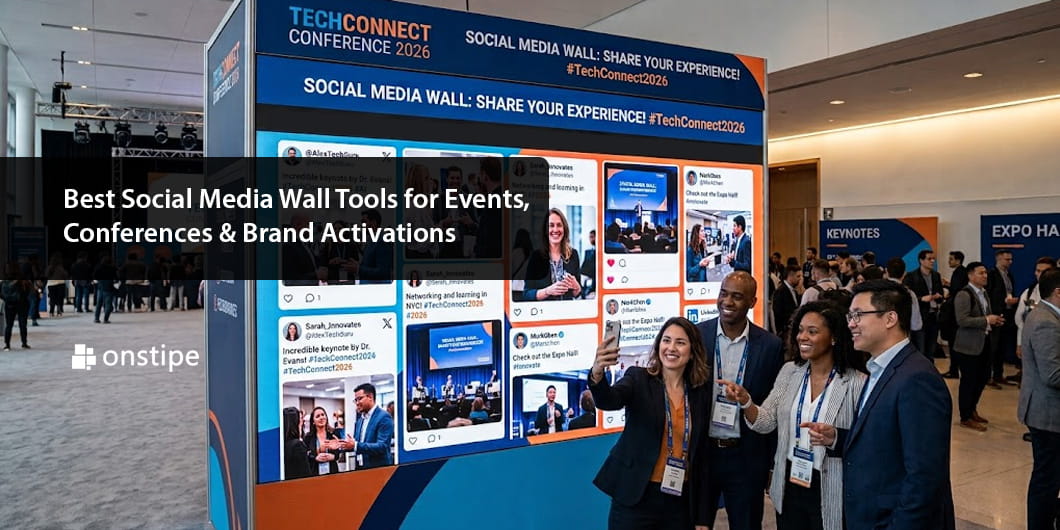
Social media management platforms are central to this workflow. Tools like Onstipe help event teams aggregate attendee content, manage live social walls, and keep branded messaging flowing throughout an event without someone manually moderating every post. When paired with an email automation sequence triggered by registration, the entire communication journey, from sign-up through post-event survey, runs on autopilot.
Scheduling posts in advance, setting up auto-responses to common questions, and automating social wall curation frees up event staff to focus on the experience rather than the inbox.
What to automate:
- Registration confirmation and pre-event reminder sequences
- Real-time social wall content moderation and display
- Attendee updates and schedule change notifications
- Post-event feedback requests and recap content distribution
What to look for in a tool: Multi-platform social aggregation, scheduled posting, event-triggered email sequences, and real-time moderation controls.
5. Real Estate
Real estate agents manage long-running relationships with buyers, sellers, and renters – most of whom need timely updates but don’t need a full conversation every time. Automated drip campaigns and CRM-triggered messages, like Follow Up Boss, keep clients engaged through the research, viewing, and closing process without agents having to touch every contact manually.
Saved search alerts notify buyers the moment a matching property is listed. Automated follow-ups go out after showings. Closing checklists and document reminders reach clients at the right point in the timeline. Post-transaction review requests go out automatically after close, none of this requires a calendar reminder or a manual task.
What to automate:
- New listing alerts based on saved buyer criteria
- Showing confirmation and post-showing follow-up
- Closing milestone reminders and document checklists
- Post-close review requests and referral prompts
What to look for in a tool: MLS or CRM integration, behavioural triggers, geo-targeted listing alerts, and visual drip campaign builders.
6. Fitness and Wellness Studios
Gyms, yoga studios, personal trainers, and wellness coaches operate on recurring relationships that live or die by consistent communication. Class reminders, membership renewal notices, progress check-ins, and promotional offers all need to go out on a reliable schedule, but most studio owners and coaches don’t have a front-desk team to manage that manually.
Automated workflows handle the entire member communication cycle. New members get a structured onboarding sequence that delivers welcome content, studio rules, and their first class schedule. Upcoming class reminders go out 24 hours before. Lapsed members receive a re-engagement sequence before their membership expires. Feedback requests go out automatically after sessions.
Mindbody is one of the more widely used platforms in this space, managing class bookings, automated reminders, and lapse re-engagement from a single dashboard.
What to automate:
- New member onboarding sequences
- Class and session reminders
- Membership renewal and expiry notices
- Re-engagement campaigns for inactive members
- Post-session feedback and review requests
What to look for in a tool: Booking software integration, SMS and email delivery, behavioural triggers for lapse detection, and branded message templates.
7. Retail and E-commerce
Retail clients expect immediate updates at every step. Order confirmations, shipping notifications, delivery confirmations, and post-purchase review requests all follow fixed triggers that automation handles cleanly – no manual effort required once the flows are built.
Beyond transactional messages, behavioural automation drives retention. Abandoned cart sequences recover revenue that would otherwise be lost. Back-in-stock alerts create urgency. Loyalty program communications keep repeat buyers engaged between purchases. Each of these runs on autopilot based on what the customer does, not what the team remembers to send.
Klaviyo is purpose-built for this. It monitors store behaviour and fires the right message at the right moment, from a cart recovery sequence three hours after abandonment to a loyalty reward after a fifth purchase.
What to automate:
- Order confirmation and shipping updates
- Abandoned cart recovery sequences
- Back-in-stock and price drop alerts
- Post-purchase review requests and loyalty program updates
What to look for in a tool: E-commerce platform integration (Shopify, WooCommerce, etc.), behaviour-based triggers, A/B testing, and CAN-SPAM/GDPR compliance.
How to Start Automating Without Overhauling Everything
The biggest mistake teams make is trying to automate everything at once. A more practical approach:
Step 1: Audit where manual communication is costing the most time. Look for tasks that repeat on a schedule or based on a trigger, require no real judgment, and frequently get delayed or forgotten. Appointment reminders and post-purchase follow-ups are almost always the fastest wins.
Step 2: Pick one or two workflows to automate first. Build them, test them, and measure the impact before expanding. One well-built workflow running reliably delivers more value than five half-finished ones.
Step 3: Choose tools that integrate with what you already use. A standalone messaging tool that doesn’t connect to your CRM, booking system, or e-commerce platform creates manual workarounds. Integration is non-negotiable.
Step 4: Build templates with personalization tokens. Messages that include a client’s name, service type, appointment date, or order number feel helpful rather than robotic. Most platforms support this out of the box.
Step 5: Review performance data and refine. Track open rates, response rates, click-throughs, and conversion metrics. What gets ignored gets adjusted.
Conclusion
The businesses growing fastest right now aren’t necessarily the ones with the biggest teams. They’re the ones that have built communication systems that scale independently of headcount, where the right message reaches the right client at the right time, whether it’s an emergency alert going to thousands of contacts or a renewal reminder landing in a single inbox 60 days before a contract ends.
Start with one workflow. Measure the impact. Build from there. The compounding effect of getting even three or four communication sequences running reliably is substantial, and the time it gives back to your team is real.
FAQs
1. What is client communication automation?
Client communication automation uses software to send predefined messages – emails, SMS, voice calls based on specific triggers like appointments, purchases, or contract milestones. It removes the need for manual follow-up on repetitive, predictable communications.
2. Does automation make client relationships feel less personal?
Only when it’s done poorly. Well-timed, relevant messages feel helpful rather than robotic. Using personalization tokens, keeping copy conversational, and including clear opt-out options keep automated communication effective and respectful.
3. What types of businesses benefit most from communication automation?
Healthcare practices, event organizers, real estate agencies, retailers, fitness studios, community organizations, and professional services firms all see significant gains. Any business with predictable, recurring client touchpoints is a strong candidate.
4. How much does client communication automation software cost?
Pricing varies widely depending on volume and features, from free tiers for small teams to enterprise plans in the hundreds per month. Most SMB-focused platforms land between $20 and $150 per month for core functionality.
5. Is automated client communication legally compliant?
Reputable platforms are built with GDPR, CAN-SPAM, TCPA, and (where relevant) HIPAA compliance in mind. Always verify a tool’s certifications and configure opt-in and opt-out settings properly before launching campaigns.