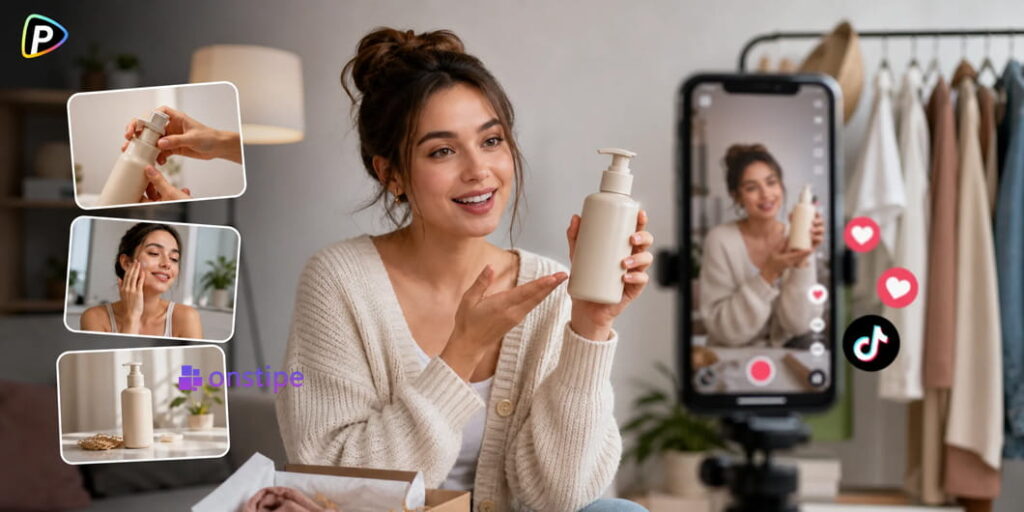
TikTok product ads have very little time to make an impression. They need to catch attention, explain the product, and give viewers a reason to keep watching. For brands running multiple campaigns, filming a new video for every product or ad idea can quickly become expensive and time-consuming.
AI-generated UGC offers a simpler option. A team can start with a presenter image and a script, then turn them into a creator-style video without arranging a new shoot.
Why Use UGC Video Ads and Why Choose Pollo AI?

UGC works well for products that are easier to understand when someone explains or demonstrates them. Skincare, fitness products, household items, and apps are common examples.
The problem is producing enough versions to test. Working with creators for every hook or product angle takes time, especially for smaller marketing teams.
The Pollo AI UGC video ads generator lets users upload a presenter image, add a script, choose a voice and other settings, and generate a talking UGC video. It also supports AI voices, lip synchronization, and background music.
This makes it more suitable for short, presenter-led ads and creative testing than for videos that require detailed filming or frame-by-frame editing.
1. Choose a Suitable Presenter Image
Start by uploading the presenter image to the Pollo AI UGC video ads generator. The same type of presenter image can also be used when working with other AI video tools, such as the HeyGen AI video generator, so keeping a clear source image can make it easier to reuse the same creative assets across different workflows.
Use a clear photo where the face is easy to see. Blurry images, blocked faces, extreme angles, or busy backgrounds can make the generated video look less natural.
The presenter should also fit the product and audience. A creator-style ad usually feels more believable when the person looks like someone who might actually use the product.
A polished studio photo is not required. A simple, natural-looking portrait can work well for a UGC-style ad.
2. Write a Short, Natural Script
Next, enter the script in Pollo AI.
Avoid writing it like an online product description. A creator would normally focus on one problem or benefit rather than read out a list of specifications.
A useful structure is: problem → product → benefit → call to action.
For example, instead of saying, “This water bottle has a leak-proof lid and stainless steel construction,” the presenter could say, “I was tired of getting water all over my bag, so I switched to this bottle. The lid stays sealed even when I throw it into my backpack.”
Keep sentences short and easy to say. Brand names, abbreviations, and technical terms can sometimes sound awkward in AI-generated speech, so they may need to be rewritten in simpler language.
3. Generate the Video in Pollo AI
Once the image and script are ready, generate the video with the Pollo AI UGC video ads generator.
The process is simple: upload the presenter image, enter the script, adjust the available settings, and select Create. Pollo AI generates the presenter video with synchronized speech and provides AI voice options and background music.
It is better to make one test video before creating several versions. This can reveal problems with pronunciation, pacing, the presenter image, or the script before more credits are used.
If a product name does not sound right, changing the wording is often more effective than simply generating the same script again.
4. Make Variations for Different TikTok Hooks
Once the first version works, create several ads around different angles.
One video might start with a customer problem. Another could highlight a product feature, while a third could show how the product fits into a daily routine.
The presenter can stay the same while the opening and product message change. This makes the tests easier to compare.
There is also no need to change everything at once. If the presenter, script, and product angle all change, it becomes harder to tell which change affected the results.
5. Check the Video Before Launching
An AI-generated video still needs a manual check before it goes into a TikTok campaign.
Look at the pronunciation, lip sync, pacing, product information, and overall appearance. The first few seconds should also make the video’s purpose clear.
Choose the appropriate aspect ratio for TikTok when creating the video rather than fixing the format later.
Product claims need particular attention. Statements such as “waterproof,” “clinically proven,” or “guaranteed results” should only be used when the brand can support them. The AI tool can generate the video, but the marketing team remains responsible for checking the claims.
How to Test the Finished UGC Ads
Instead of relying on one creative, marketers can test several versions of the same product.
For example, three ads could focus on convenience, a product feature, and a common customer problem. Their performance can then show which message gets more attention or drives more clicks.
The main benefit of AI-generated UGC is not simply avoiding a filming session. It is making it easier to produce and test different creative ideas without starting the production process from scratch each time.
Conclusion
Good TikTok UGC ads should feel more like a product recommendation than a traditional commercial. That means choosing a suitable presenter, writing a script that sounds natural, and checking the finished video before publishing it.
The Pollo AI UGC video ads generator provides a straightforward way to create this type of content. By combining a presenter image with a short script, marketers can produce different UGC ad versions and test which product angles work best for their TikTok campaigns.