
Instagram has become much more than a platform for sharing photos and videos. For businesses, creators, agencies, and brands, it is a powerful way to showcase products, build trust, and engage audiences. But if your Instagram content is not visible on your website, you may be missing an easy opportunity to turn website visitors into followers and customers.
The good news is that you don’t need to be a developer to display Instagram content on your website. With an Instagram widget, you can embed your latest posts, reels, photos, and videos directly onto your website—without writing a single line of code.
In this guide, we’ll explain how to add an Instagram feed for your website without coding and explore why an Instagram feed can be an important part of your website strategy.
What Is an Instagram Feed Widget?
An Instagram feed widget is a website tool that displays content from an Instagram account directly on a webpage. Depending on the widget you choose, you can showcase images, videos, reels, hashtags, or posts in different layouts.
Instead of manually uploading Instagram posts to your website, the widget can automatically retrieve and display your latest content.
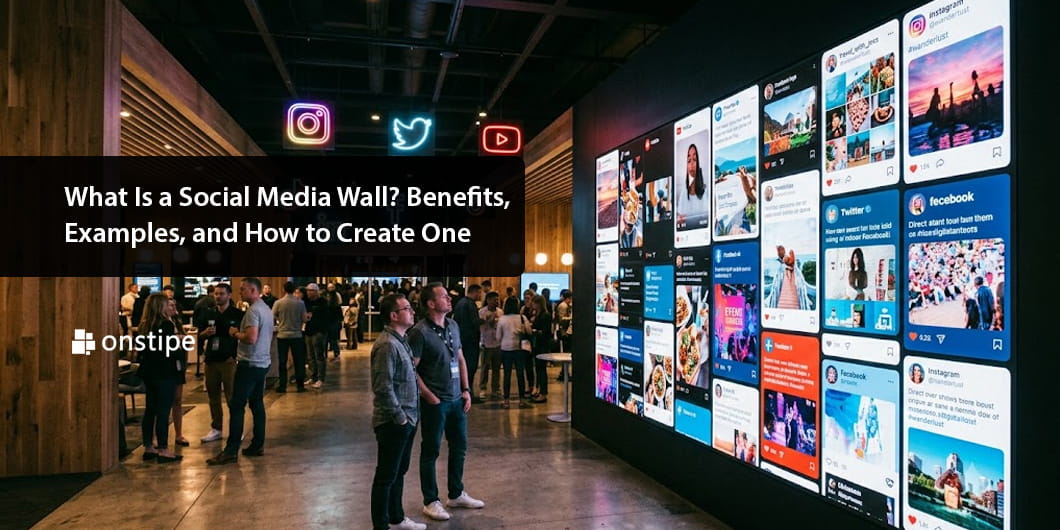
For example, you can create an Instagram wall featuring your newest posts in a grid, carousel, masonry layout, or slideshow. When you publish new content on Instagram, the feed can automatically update on your website.
Why Add an Instagram Feed to Your Website?
Embedding Instagram content isn’t simply about making your website look more attractive. It can also provide several practical benefits.
1. Keep Your Website Fresh
Websites can become outdated when their content isn’t regularly updated. An Instagram feed provides a simple solution.
If you’re already posting regularly on Instagram, displaying those posts on your website gives visitors fresh visual content without requiring you to update the webpage manually.
2. Build Social Proof
An Instagram feed can showcase real products, customer photos, events, behind-the-scenes content, and user-generated posts. This can help demonstrate that your brand has an active community.
3. Increase Instagram Engagement
Your website visitors may not know that your business has an Instagram account. Adding an Instagram feed makes your social presence more visible.
With appropriate follow or Instagram profile buttons, visitors can easily move from your website to your Instagram profile.
4. Improve Website Visual Appeal
An Instagram wall can add color, movement, and personality to an otherwise static webpage. It works particularly well for fashion brands, restaurants, travel businesses, photographers, event companies, fitness brands, and creative businesses.
How to Embed an Instagram Feed Without Coding
The easiest approach is to use a no-code Instagram widget. Here’s a simple step-by-step process.
Step 1: Choose an Instagram Widget
Start by selecting an Instagram feed widget that supports your website platform.
Look for features such as automatic feed updates, responsive design, multiple layouts, customization options, moderation, and compatibility with popular website builders.
A good widget should allow you to create and customize your feed without requiring HTML, CSS, or JavaScript knowledge.
Step 2: Connect Your Instagram Account
After selecting your widget, connect the Instagram account you want to display.
Depending on the service, you may be able to connect a personal, creator, or business account. Follow the platform’s authentication instructions to give the widget permission to retrieve the relevant Instagram content.
Always review the permissions requested before connecting your account.
Step 3: Customize Your Instagram Feed
This is where you can make the feed match your website’s design.
Most no-code tools provide customization options for:
- Grid or carousel layouts
- Number of posts
- Image spacing
- Feed width
- Columns
- Backgrounds
- Buttons
- Text styles
For example, a fashion store might choose a clean multi-column grid, while a photographer could use a larger image-focused layout.
The goal is to make your Instagram feed for website visitors feel like a natural part of the page rather than an unrelated third-party element.
Step 4: Generate the Widget
The widget platform will typically generate an embed code or provide a website integration option.
Most platforms simply require you to copy the generated code.
Step 5: Add It to Your Website
Open the page where you want your Instagram feed to appear.
Most modern website builders provide an HTML, Embed, Custom Code, or similar block. Add the widget code to that section and publish your page.
For website builders that support direct integrations, you may not even need to manually paste code.
Now, Your Instagram feed should now appear on your website.
Where Should You Display an Instagram Feed?
The location of your feed can influence how many visitors actually see it.
A popular option is the homepage. Adding an Instagram wall near the bottom of the homepage lets visitors discover your social content after learning about your business.
You can also place an Instagram feed on:
- Product pages
- About pages
- Contact pages
- Blog pages
- Landing pages
- Footer sections
- Dedicated social media pages
For ecommerce websites, displaying relevant Instagram content near products can help visitors visualize how products are used in real-life situations.
Tips for Creating an Effective Instagram Feed
Simply embedding a feed isn’t enough. The design and content should support your website’s overall experience.
- Keep the Design Consistent
- Choose High-Quality Content
- Make It Mobile-Friendly
- Moderate User-Generated Content
Final Thoughts
Adding an Instagram feed to your website is one of the simplest ways to connect your social media presence with your website. Instead of manually uploading Instagram posts, a no-code Instagram widget can automatically display your content and help keep your website visually engaging.
The best part is that you don’t need programming experience. Choose a suitable widget, connect your Instagram account, customize the layout, and add it to your website. In just a few steps, you can create an engaging Instagram feed for your website and give visitors another way to discover and interact with your brand.