
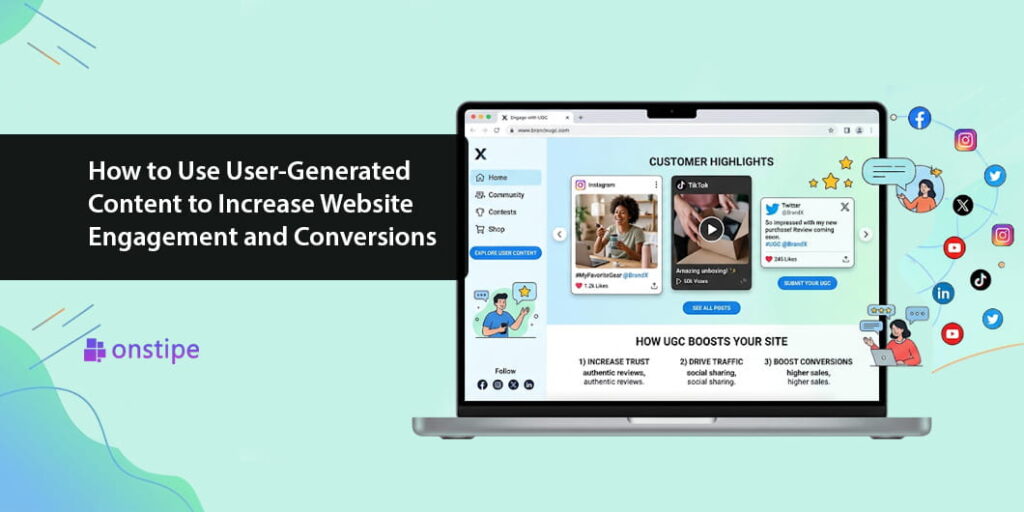
When people visit your website, they are not just looking for products or services. They are also looking for reasons to trust your brand. They want to know whether your products deliver what they promise, whether other customers are happy with their purchases, and whether your business understands their needs.
This is where user-generated content (UGC) can make a real difference.
Instead of relying entirely on branded advertisements and promotional messages, businesses can showcase content created by their actual customers. This content might include product reviews, customer photos, videos, testimonials, social media posts, and real-life product experiences.
Think about the last time you considered buying something online. You may have checked customer reviews, watched a product demonstration, or looked at photos shared by other buyers. These small moments can influence how confident you feel about making a purchase.
By incorporating user-generated content into your website, you can create a more authentic experience, encourage visitors to interact with your brand, and help potential customers make informed decisions.
In this guide, we will explore how to use user-generated content effectively to increase website engagement and conversions, along with practical examples and strategies you can start implementing today.
What Is User-Generated Content?
User-generated content refers to original content created and shared by customers, fans, or other people rather than produced directly by a brand as its own marketing material.
Common examples include:
- Customer reviews and ratings
- Photos and videos featuring products
- Social media posts mentioning a brand
- Unboxing videos and product demonstrations
- Customer testimonials and success stories
- Questions, answers, and community discussions
For example, an online fashion store might display customer photos showing how people style its clothing. A skincare company could feature customer testimonials, while a travel website might showcase photos shared by travelers.
When selected carefully and presented transparently, user-generated content gives website visitors a better understanding of how other people experience a brand.
Why Does User-Generated Content Matter for Website Engagement and Conversions?
Traditional marketing usually communicates what a brand wants people to know about its products. User-generated content adds another perspective by showing how customers experience those products in real situations.
This can support three important goals.
Builds trust: Genuine customer feedback helps visitors explore experiences beyond a brand’s own promotional claims.
Encourages engagement: Interesting customer photos, videos, and stories give visitors more reasons to explore website pages.
Supports purchasing decisions: Reviews, demonstrations, and real-world examples can answer questions and reduce uncertainty before checkout.
However, user-generated content is not an automatic guarantee of higher conversions. Its effectiveness depends on relevance, authenticity, presentation, and how well it addresses customer concerns.
7 Ways to Use User-Generated Content to Increase Website Engagement and Conversions
1. Display Customer Reviews on Important Pages
Customer reviews are one of the easiest forms of user-generated content to incorporate into your website.
When shoppers evaluate a product, they often want to understand its quality, usability, and potential limitations. Reviews can provide practical information that product descriptions alone may not communicate.
Instead of placing all reviews on a separate page, consider displaying relevant feedback near product descriptions, pricing information, or purchase buttons.
For example, an electronics retailer could feature customer feedback about battery life, ease of use, and product durability on individual product pages.
Why it works: Relevant reviews help visitors find answers to common questions and make more informed purchasing decisions.
2. Add Customer Photos and Videos to Product Pages
Product images created by customers can help shoppers understand how items look and perform outside professional photography.
A clothing brand might showcase customer photos featuring different body types and styling choices. A furniture store could display customer-submitted pictures of products in real homes.
These examples provide context that studio photography may not capture.
You can create a dedicated customer gallery or place selected images directly alongside the relevant products.
Pro tip: Ask customers to submit photos after purchasing, and clearly obtain permission before displaying their content. Make sure the images are relevant to the products being featured.
3. Create a Social Media Wall on Your Website
A social media wall brings selected content from supported social platforms into a single display. It may include customer photos, brand mentions, campaign hashtags, and other relevant posts.
This is particularly useful for brands with active online communities.
For example, a restaurant could display approved customer posts featuring its dishes, while a travel company might showcase photos from travelers visiting different destinations.
A social media aggregator such as Onstipe can help businesses collect and display social content through an embeddable feed or social wall, depending on supported integrations.
Why it works: A well-curated social media wall introduces visitors to real customer experiences and connects website content with the brand’s wider social community.
4. Use User-Generated Content on Landing Pages
Landing pages are designed around a specific action, such as registering for an event, downloading a resource, or purchasing a product.
Adding relevant customer stories, testimonials, or user-generated photos can make these pages more informative and relatable.
Imagine a fitness company promoting an online training program. Alongside the program details, it could feature permission-based customer stories describing their experiences and what they learned.
The content should be authentic, relevant, and presented without exaggerating customer results.
Why it works: Visitors can see how other people have experienced the offering, helping them evaluate whether it meets their own needs.
5. Turn Customer Videos Into Useful Product Demonstrations
Sometimes, shoppers need to see a product in action before they understand its value.
Customer-created videos can demonstrate product setup, everyday use, styling ideas, or practical features. These videos can be particularly helpful for electronics, beauty products, home accessories, and other visually demonstrable items.
For example, a home appliance brand might feature a customer video showing how a kitchen product works during everyday meal preparation.
Place relevant videos on product pages or create a dedicated customer experience section.
Why it works: Videos can communicate practical details quickly and help visitors understand what to expect before purchasing.
6. Make User-Generated Content Shoppable
For ecommerce businesses, shoppable user-generated content can connect inspiration with purchasing.
A shoppable gallery allows visitors to explore customer photos or videos and click through to the products featured in them.
For example, a home decor brand could display customer living-room photos with links to the featured lamps, cushions, and furniture.
Instead of simply admiring an image, visitors can discover the products and continue shopping.
Why it works: Shoppable content reduces the distance between discovering a product and finding where to buy it.
To make the experience useful, ensure product links are accurate, the gallery works well on mobile devices, and the content is properly authorized.
7. Build Dedicated Customer Stories and Community Pages
Some customers have experiences worth sharing in greater detail. A dedicated community page can bring together testimonials, photos, customer interviews, and success stories.
For instance, a software company could publish customer case studies describing a business challenge, the solution adopted, and the results achieved. A travel company could feature traveler stories and destination photography.
These pages provide more context than a short review and can help visitors explore the brand from different perspectives.
Why it works: Detailed customer stories can help visitors understand how a product or service fits into real situations.
Best Practices for Using User-Generated Content
To make your strategy effective, focus on quality and authenticity rather than simply displaying as much content as possible.
Get Permission Before Publishing
Always obtain the necessary rights or permission before republishing customer photos, videos, and social media posts. Follow applicable privacy rules and platform terms.
Keep Content Relevant
Choose content that matches the page’s purpose. A customer photo on a product page should relate to that product, while testimonials on a landing page should address the relevant customer need.
Maintain Authenticity
Do not fabricate reviews, alter customer statements in misleading ways, or present paid endorsements as independent opinions. Disclose incentives and commercial relationships where required.
Optimize the Website Experience
Large galleries, videos, and third-party widgets can affect loading speed. Use responsive layouts, optimize media, and test performance across desktop and mobile devices.
Test Different Placements
Experiment with placing reviews near purchase buttons, adding customer photos to product pages, or featuring testimonials on landing pages. Compare results to understand what works best for your audience.
How to Measure the Impact of User-Generated Content
Publishing content is only one part of the process. You also need to understand whether it improves the visitor experience.
Track relevant metrics such as:
- Engagement rate: Whether visitors interact with galleries, videos, or other content.
- Time on page: Whether visitors spend more time exploring relevant information.
- Click-through rate: Whether people click product links or calls to action within a content display.
- Conversion rate: Whether more visitors complete a desired action, such as purchasing or registering.
- Cart abandonment: Whether changes to product pages help reduce incomplete purchases.
Compare performance before and after making changes, and use controlled A/B tests where practical. This helps distinguish actual improvements from assumptions.
Conclusion
User-generated content gives businesses an opportunity to make their websites more authentic, engaging, and useful. Customer reviews, photos, videos, social media walls, and detailed customer stories can help visitors explore real experiences rather than relying exclusively on brand-created promotions.
The most effective strategy is to use content where it answers questions, builds confidence, or helps people take the next step. Showcase relevant reviews on product pages, add customer photos to galleries, feature authentic stories on landing pages, and explore shoppable content when it supports the buying journey.
Remember that success is not about collecting the largest amount of user-generated content. It is about presenting the right content to the right audience at the right moment.
Start with one high-impact website page, gather permission-based customer content, measure the results, and refine your approach over time. With a thoughtful strategy, user-generated content can become a valuable part of your website engagement and conversion efforts.