Events are no longer limited to what happens on stage. Today, attendees are constantly taking photos, sharing updates, posting videos, and reacting to experiences in real time. A single conference, product launch, festival, or brand activation can generate hundreds—or even thousands—of social media posts. The challenge is turning all that activity into something the entire audience can see and enjoy.
A social wall collects social media content and displays selected posts on screens, websites, event apps, or other digital touchpoints. When used well, it can transform passive attendees into active participants and make an event feel more connected and interactive.
But with so many platforms available, choosing the right social wall software can be difficult. This guide explores what to look for and highlights some of the best types of social media wall tools for events, conferences, and brand activations.
What Is a Social Media Wall for Events?
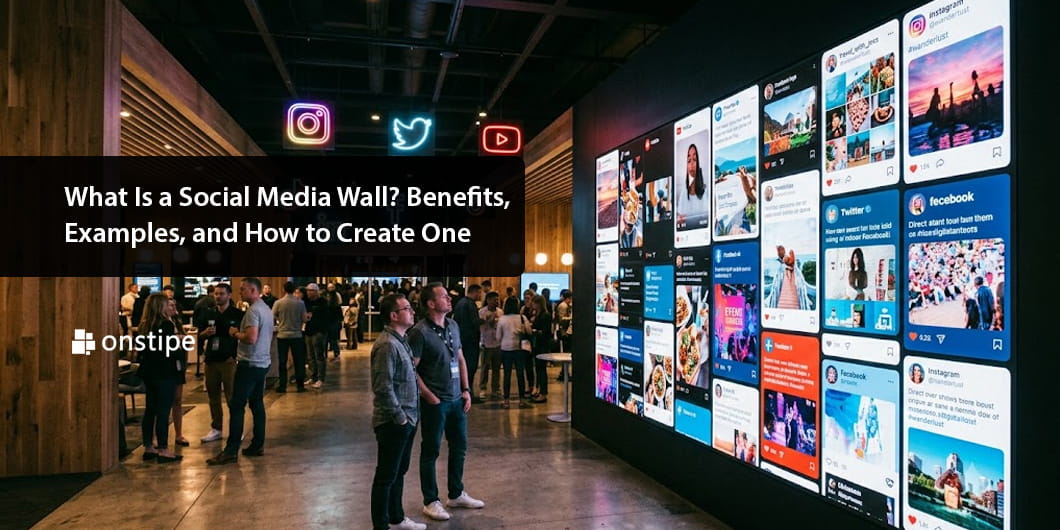
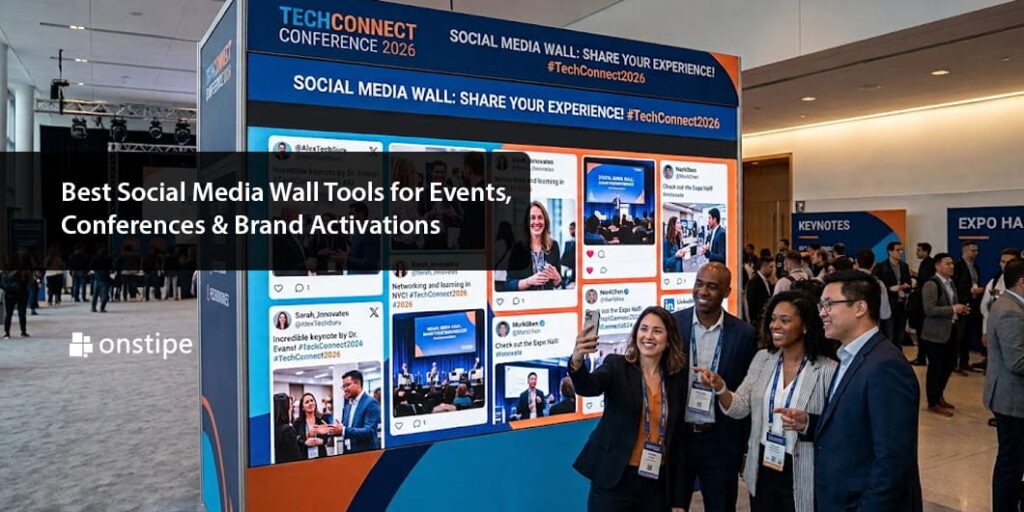
An event social wall is a live digital display that gathers social media posts into one place. Content can typically be collected using hashtags, usernames, mentions, keywords, or connected social accounts.
For example, imagine a technology conference where attendees use the hashtag #MyTech2026. A social media wall can collect relevant posts and display approved content on large venue screens.
Attendees may see their own posts appear during the event, encouraging them to share more. At the same time, people who aren’t posting can see what others are experiencing. This creates a continuous feedback loop between the event and its audience.
Why Use a Social Media Wall at an Event?
1. Increase Event Engagement
One of the biggest advantages is event engagement.
When attendees know their posts could appear on a large screen, they have an additional reason to participate. They may take photos, use the event hashtag, tag the brand, or share their experience with their followers.
The result is a more interactive environment where attendees contribute to the event rather than simply watch it.
2. Encourage User-Generated Content
People trust experiences shared by other people. Customer and attendee posts can feel more authentic than traditional promotional content.
A social wall gives organizers a way to collect and showcase this user-generated content (UGC) during the event, provided the content is used in accordance with applicable permissions and platform rules.
3. Create a Live Event Experience
A live social media wall can make an event feel dynamic because the content changes throughout the day.
A conference screen might show speaker quotes in the morning, attendee reactions during sessions, and event highlights in the evening. This keeps the display fresh and connected to what’s happening around it.
4. Extend the Event Online
The benefits don’t have to stop when attendees leave the venue.
Selected social content can potentially be displayed on event websites, landing pages, or post-event galleries. This allows people who couldn’t attend to get a glimpse of the experience and gives organizers additional content to use after the event.
Best Social Media Wall Tools to Consider
The “best” tool depends on the event’s size, platforms, display requirements, moderation needs, and budget. Instead of looking for one universal winner, consider the capabilities offered by different categories of tools.
1. Walls.io
Walls.io is another established social wall platform that focuses on aggregating social media content into customizable feeds.
It can be particularly useful for conferences, events, websites, and digital displays where organizers want to bring conversations from multiple social networks into one visual experience.
2. Onstipe
Onstipe focuses on social media aggregation and social wall experiences for websites, events, and digital displays.
Its event-oriented use cases can help organizers bring hashtag-based and account-based social content into a branded display.
3. Juicer
Juicer provides social media aggregation features that allow brands to collect content from different social networks and display it in customizable feeds.
It can work well for websites and event environments where social content needs to be collected and presented in a visually organized format.
4. Social Walls Built Through Custom APIs
For larger events or brands with specific technical requirements, a ready-made platform may not provide enough flexibility.
In that situation, businesses can use a social media API or aggregation API to build a custom social wall. This approach requires more development work but can provide greater control over design, workflows, moderation, data handling, and integration with existing event technology.
What Features Should You Look For?
Choosing social wall software based only on appearance can be a mistake. The underlying functionality matters just as much.
Content Aggregation
Look for support for the social networks your audience actually uses. An international conference may need broader platform coverage than a small local event.
Real-Time Updates
For a live event, content should refresh frequently. A delayed feed can make the wall feel disconnected from what’s happening in the room.
Moderation
This is essential.
Not every post associated with an event hashtag should automatically appear on a public screen. Strong moderation tools allow organizers to review content and decide what gets displayed.
Customization
Your social wall should feel like part of the event—not a random third-party widget.
Look for options to customize colors, layouts, fonts, logos, animations, and other visual elements.
Multiple Display Options
A good platform should support more than a single screen. Depending on your event strategy, you may want to display content on LED walls, TVs, kiosks, websites, mobile experiences, or presentation screens.
Analytics
Analytics can help organizers understand how audiences interacted with the social campaign. Depending on the platform, metrics may include content volume, engagement, impressions, or other available measurements.
Instagram Wall for Events
Instagram remains especially relevant for visual events, which is why an Instagram wall for events can be a popular choice.
Imagine a fashion launch where attendees share outfit photos, a wedding expo where visitors post inspiration, or a travel event where participants share destination images. Bringing selected Instagram content onto a large display can make the audience part of the visual storytelling.
However, organizers should always consider Instagram’s current API capabilities, permissions, and content-use requirements before planning an integration.
Social Walls for Brand Activations
Brand activations are designed to create memorable interactions between people and brands. A social wall can amplify those interactions.
For example, a brand could create a photo booth where visitors take pictures and share them with a campaign hashtag. After moderation, selected posts could appear on a large screen alongside branded visuals.
This creates an immediate connection between the physical experience and social media.
The same concept can work for product launches, retail pop-ups, sports events, festivals, trade shows, and experiential marketing campaigns.
Tips for Getting Better Results
Technology alone doesn’t guarantee engagement. The experience surrounding the social wall matters.
Start by creating a simple and memorable hashtag. Display it clearly throughout the venue so attendees know how to participate.
Give people a reason to post. Photo opportunities, contests, interactive installations, giveaways, and audience challenges can encourage participation.
Most importantly, moderate the content carefully. A social wall represents your event in a very public way, so having a clear approval process is essential.
Final Thoughts
A well-designed social wall can turn an event from a one-way experience into a shared digital conversation. It can encourage attendees to participate, showcase authentic content, increase event engagement, and extend the life of an event beyond the venue.
Whether you’re looking for a ready-to-use platform such as Walls.io, Juicer, or Onstipe, or you’re considering a custom solution, focus on the fundamentals: reliable content aggregation, moderation, customization, real-time updates, and easy display options.
The best social wall isn’t necessarily the one with the longest feature list. It’s the one that fits naturally into your event strategy and gives attendees a genuine reason to participate. When technology, content, and audience interaction come together, a social wall becomes more than a screen.