You spend weeks building an app, preparing an art collection, or testing a science experiment. Presentation day arrives, you share your work, and then what? Too often, that effort ends up buried in a folder or scattered across different websites.
An aggregated social feed offers a way to bring those updates together. Instead of asking people to search through several accounts, you can give them one place to explore selected projects, milestones, and achievements.
However, a useful student showcase needs more than attractive photos and celebration posts. It should explain what you did, how you learned, and why the work matters. It also needs clear rules about privacy, permission, and participation.
Let’s explore how students can use aggregated social feeds to build meaningful digital portfolios without turning learning into a competition for likes.
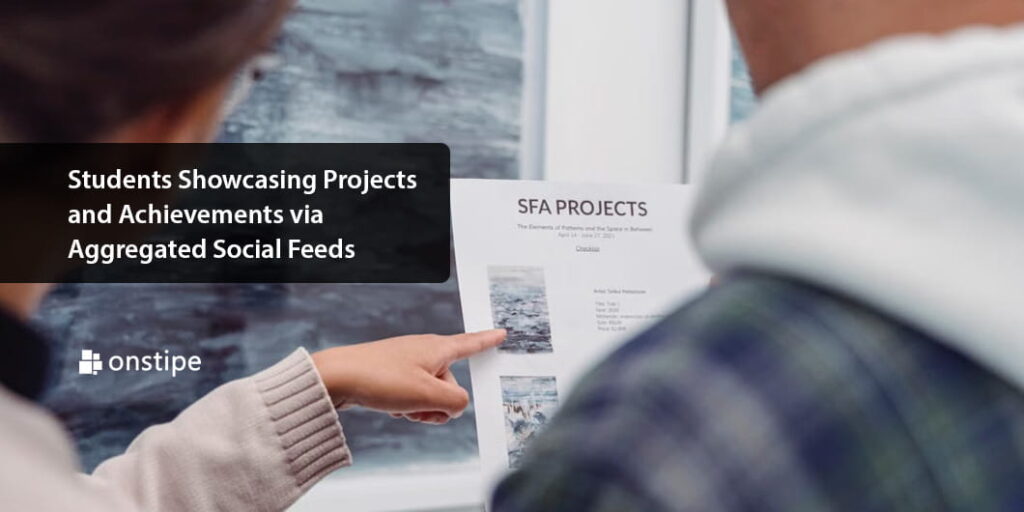
Photo by : https://www.pexels.com/photo/close-up-photo-of-a-person-pointing-her-finger-at-the-paper-7859316/
1. What Are Aggregated Social Feeds for Students?
An aggregated social feed brings posts from selected social sources into one view. Depending on the setup and supported connections, that view might appear on a portfolio website, a class page, or a school project showcase.
Think of it as a digital noticeboard. Instead of placing every update on a different wall, you bring relevant pieces onto one board where people can understand the bigger picture.
For example, a student environmental club might share a project introduction, photos of a model, a short demonstration video, and a reflection on its findings. A combined feed could help visitors follow that story without moving between several accounts.
However, aggregation and curation are not the same thing. Aggregation collects content. Curation means deciding which content deserves a place in the showcase. A strong student portfolio needs both.
Automatically displaying every available post can create a confusing mix of unfinished work, repeated announcements, and unrelated material. Selecting relevant updates gives the page a clearer purpose.
It is also important to separate the feed from the portfolio itself. The feed shows updates; a project page holds the fuller explanation, supporting files, and final work. These two parts can work together, but one should not replace the other.
Before choosing a setup, decide who the showcase serves. Classmates may need ideas for collaboration. Teachers may need evidence of progress. A reader considering an internship application may need a clear explanation of the student’s skills and individual contribution. The audience should shape what you include.
2. Turning Student Updates Into a Meaningful Digital Portfolio
A photo of a finished project can attract attention, but it cannot explain everything. What problem did you tackle? What decisions did you make? Which parts did you complete yourself?
These questions turn a social update into useful portfolio content.
A strong entry should introduce the project, explain your role, and point to evidence. That evidence might be a working demonstration, a written report, a design file, or a short reflection. The goal is not to make every post lengthy. It is to give readers enough information to understand the achievement.
Student projects can involve demanding deadlines, complex research, and unexpected setbacks, so you do not have to tackle every challenge alone. Seeking guidance is a normal part of learning and can help you work through areas where you feel stuck. If you work with a professional writing service and buy college papers, disclose that support and follow your course’s rules. Your showcase can explain what you learned from that guidance while highlighting your own ideas, decisions, and contributions. The key is to be honest about the help you received without presenting someone else’s writing as your own.
Show the Process, Not Just the Finished Project
Imagine you are building a device that reminds people to water their plants. A final photo shows what it looks like, but a series of selected updates can explain how it developed.
You could share an early sketch, describe a problem with the sensor, and explain how you changed the design. The final entry could link to a demonstration and identify a limitation you still need to solve.
This creates a learning story rather than a highlight reel.
You do not need to publish every attempt. Choose moments that show a meaningful decision, challenge, or improvement. A post explaining why an experiment failed can offer more insight into your thinking than a polished image with no context.
Honest reflection matters. “The prototype worked indoors, but outdoor testing is still needed” tells readers more than “Our project was a complete success.”
Make Individual Contributions Clear
Group projects need careful explanation. Sharing a team achievement is valuable, but readers should not have to guess who did what.
Instead of writing, “I built a school recycling app,” you might write, “Our four-person team built a recycling app. I designed the screens and tested the navigation with classmates.”
That description gives your contribution proper attention while respecting your teammates’ work.
The same principle applies to awards and events. Distinguish between participating, being shortlisted, and winning. Add relevant context, such as the project title and event date, without exaggerating what happened.
Where appropriate and permitted, link to the original project or supporting announcement. A clear explanation backed by relevant evidence is more useful than an impressive-sounding claim.
3. How to Build a Student Project Showcase
You do not need a complicated publishing system to begin. Start with a clear purpose, a manageable selection of work, and a process you can maintain.
Choose a home for the showcase. This could be a student portfolio page or a school-managed website. Give it a clear introduction explaining whose work appears there and what visitors will find. Keep important project descriptions on that site rather than relying entirely on social posts.
Social posts can be removed, and embedded content can stop displaying. Keeping your main explanation and permitted copies of your work separately makes the portfolio less dependent on those connections.
Check what the feed can actually collect. Do not assume that every platform, account, or content type will work with your chosen setup. Confirm the supported sources, required permissions, and available controls before designing the showcase around them. Avoid sharing passwords or using methods that bypass access restrictions.
Set a simple content pattern. Each featured update should help readers understand the project’s purpose, your contribution, and the result or next step. For example:
“For our geography project, we compared shaded and unshaded areas around the school. I organized the observations and created the charts. Our report explains the patterns we noticed and the limits of our method.”
This example describes a hypothetical project, but the pattern works across subjects. An art student could explain a material choice. A computing student could describe a bug they fixed.
Create a review step. A shared project hashtag may help organize posts, but it should not count as permission to display them. Review proposed entries for relevance, accuracy, consent, and sensitive information before publishing.
For a school showcase, identify who approves content and who handles correction or removal requests. A clear owner prevents uncertainty when something needs attention.
Make the page easy to explore. Organize work by subject, project, or academic year. Give posts descriptive titles and connect related updates. A visitor should be able to find the final project without scrolling through months of activity.
Finally, choose a realistic publishing rhythm. Updating at project milestones may be more useful than posting every day. The feed should support learning, not create a second assignment that competes with it.
4. Protecting Privacy and Keeping Participation Inclusive
A student showcase does not have to be public to be valuable. A restricted page shared with a class, selected reviewers, or families may suit the purpose better than an open website.
Start by deciding who needs access. Then select the smallest appropriate audience rather than treating public sharing as the automatic choice.
Before publishing, check both the text and the background of images. Student identification cards, addresses, personal contact details, classroom schedules, and private messages should not become part of a project showcase. A harmless-looking photograph can reveal information that was never meant to be shared.
Permission should also match the intended use. Someone agreeing to appear in a classroom presentation does not automatically mean they agree to appear on a public portfolio page. Explain where the material will appear and provide a straightforward way to raise concerns. For younger students, follow the school’s consent process and involve parents or guardians where required.
Remember that removing a public post cannot guarantee the disappearance of copies or screenshots. This is a reason to make careful choices before publication, not just to rely on deleting material later.
Participation should not depend on owning a public social media account. Provide another route, such as submitting a project summary and approved images through a school-managed channel. Those submissions can appear alongside the aggregated feed, even when they are not imported social posts.
Accessibility deserves the same attention. Add useful text descriptions for meaningful images, captions for videos with speech, and readable explanations outside embedded content. Avoid placing essential instructions only inside graphics. The W3C’s 2023 Web Content Accessibility Guidelines provide guidance on text alternatives and captions.
Also, credit collaborators and use media you have permission to share. A project may include music, photographs, or other material that requires additional care before public display.
Most importantly, separate educational recognition from online popularity. Likes and shares do not tell you whether a student understood a difficult concept or contributed thoughtfully to a team. A fair showcase makes room for quiet progress as well as eye-catching results.
5. Measuring Progress and Making Achievements Last
Once the showcase is running, resist the urge to judge it only by visitor numbers. Attention can be interesting, but it does not answer the most important question: does this page help someone understand the student’s work?
Review the quality of the entries instead. Do they explain the project clearly? Can readers identify the student’s contribution? Do links lead to useful evidence? Is there reflection on what changed or what still needs improvement?
For a class showcase, participation matters too. Check whether the same few students appear repeatedly while others remain invisible. Give everyone an accessible way to contribute without requiring equal amounts of public exposure.
Feedback can help improve the content. When a reader asks what a graph means or who completed a task, use that question to strengthen the description. The goal is not to collect praise. It is to communicate learning more clearly.
Students can also review their own feeds at the end of a term. Which project required the most revision? What skill appears across several pieces of work? What would they approach differently now? These reflections can become short portfolio summaries that connect individual updates into a larger story.
Keep the collection manageable over time. Save original work in a separate, organized location, check important links, and remove unnecessary duplicates. Where content includes other people, respect the permissions and retention arrangements agreed for the showcase. A carefully maintained selection is easier to understand than an endless stream.
Students showcasing projects and achievements via aggregated social feeds should be telling a learning story, not chasing a popularity score. The strongest showcase combines selected updates with clear explanations, honest credit, and evidence of progress. Protect the people involved, offer everyone a fair route to participate, and keep the original work at the center. Then the feed becomes more than a place to announce what you finished: it becomes a window into how you think, what you have learned, and where you are ready to go next.